
Latest Version
Silas Henrique
Finance
Linux
Free
br.eng.silas.qpdftools
Report a Problem
More About Qpdf Tools
Managing PDF documents on Linux has often required wrestling with complex command-line arguments, but Qpdf Tools PDF management software changes that dynamic entirely. Developed by Silas Henrique, this elegant utility provides a clean, highly intuitive Qt graphical user interface for two of the most powerful backend PDF engines available: Ghostscript and QPDF. Instead of memorizing terminal commands, users can now execute essential document modifications with just a few clicks.
Who Benefits Most from Qpdf Tools PDF Management?
This utility is an exceptional fit for office professionals, students, and Linux enthusiasts who frequently handle digital paperwork. If you find yourself constantly needing to optimize document sizes for email attachments, combine scattered receipts into a single file, or organize scanned pages, this tool eliminates the friction from your workflow. It is designed specifically for those who value simplicity and speed over bloated, feature-heavy enterprise suites.
Core Features for Streamlined Workflows
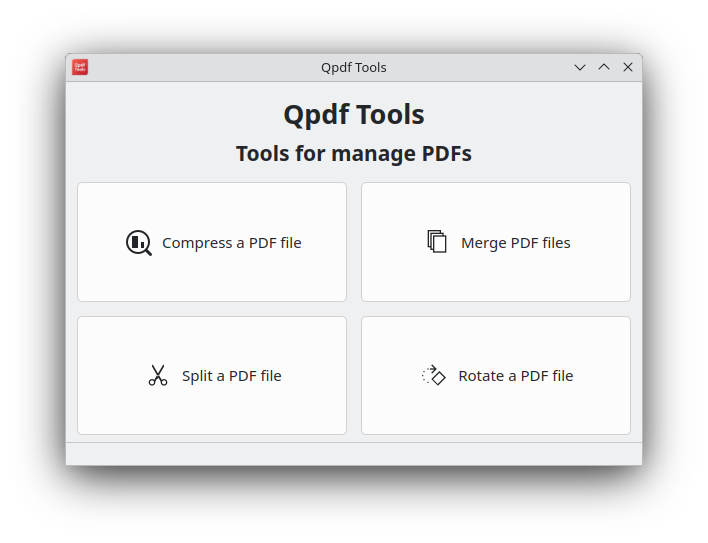
The application focuses on doing a few critical tasks exceptionally well. By wrapping powerful command-line utilities in a friendly interface, it delivers reliable performance across several key areas:
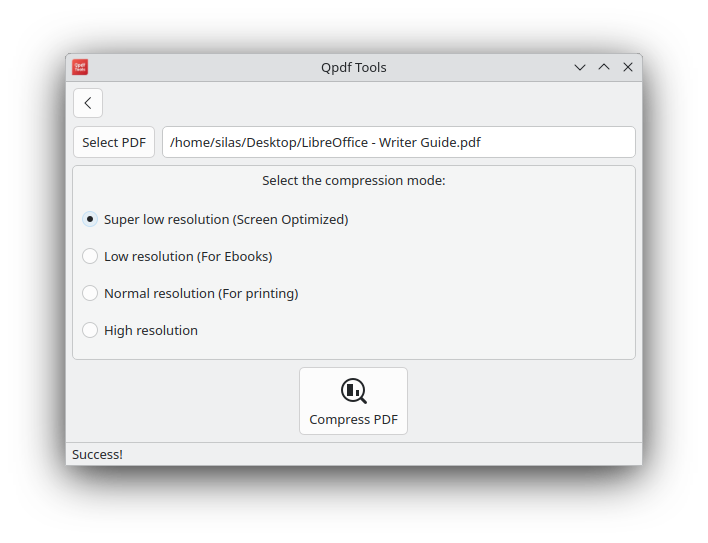
- Document Compression: Easily shrink bloated PDF files to make them easier to share via email or upload to web portals without sacrificing readable quality.
- Precise Splitting: Divide large, multi-page documents into individual files or smaller, more manageable sections.
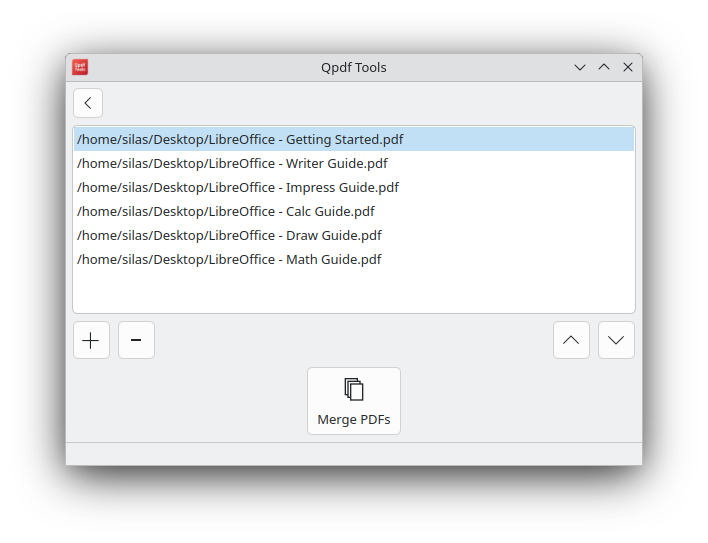
- Seamless Merging: Combine multiple independent PDF sheets into a single, cohesive document in seconds.
- Page Rotation: Quickly fix upside-down or sideways scans with simple rotation adjustments.
A Lightweight, No-Nonsense Linux Solution
Unlike heavy web-based converters that raise privacy concerns by forcing you to upload sensitive financial or personal documents to external servers, this tool runs entirely locally on your Linux machine. Because it leverages the native power of Ghostscript and QPDF, the processing is incredibly fast and secure, keeping your private data safe on your local drive.
How to Get Started
If you are ready to simplify your digital desktop environment, we highly recommend trying this utility. You can find more information, view screenshots, and access the installation package by visiting the official listing on the Flathub store page.
Rate the App
User Reviews













Popular Apps










Editor's Choice